AI Video Translation and Subtitle Generator
Two Ways, Equally Powerful
Website Transcription & Translation
All-in-one audio and video transcription and translation platform
TranslateSub website provides powerful yet simple audio and video transcription and translation functions:
- Support for transcription and translation from YouTube, TikTok and other platform links
- Upload local audio and video files for processing (supports MP4, MP3 and other mainstream formats)
- Generate subtitles in SRT, VTT or plain text format
- High-quality translation in 75+ languages
- Convenient subtitle editing and downloading functions
Browser Extension
Real-time transcription and translation of web audio/video
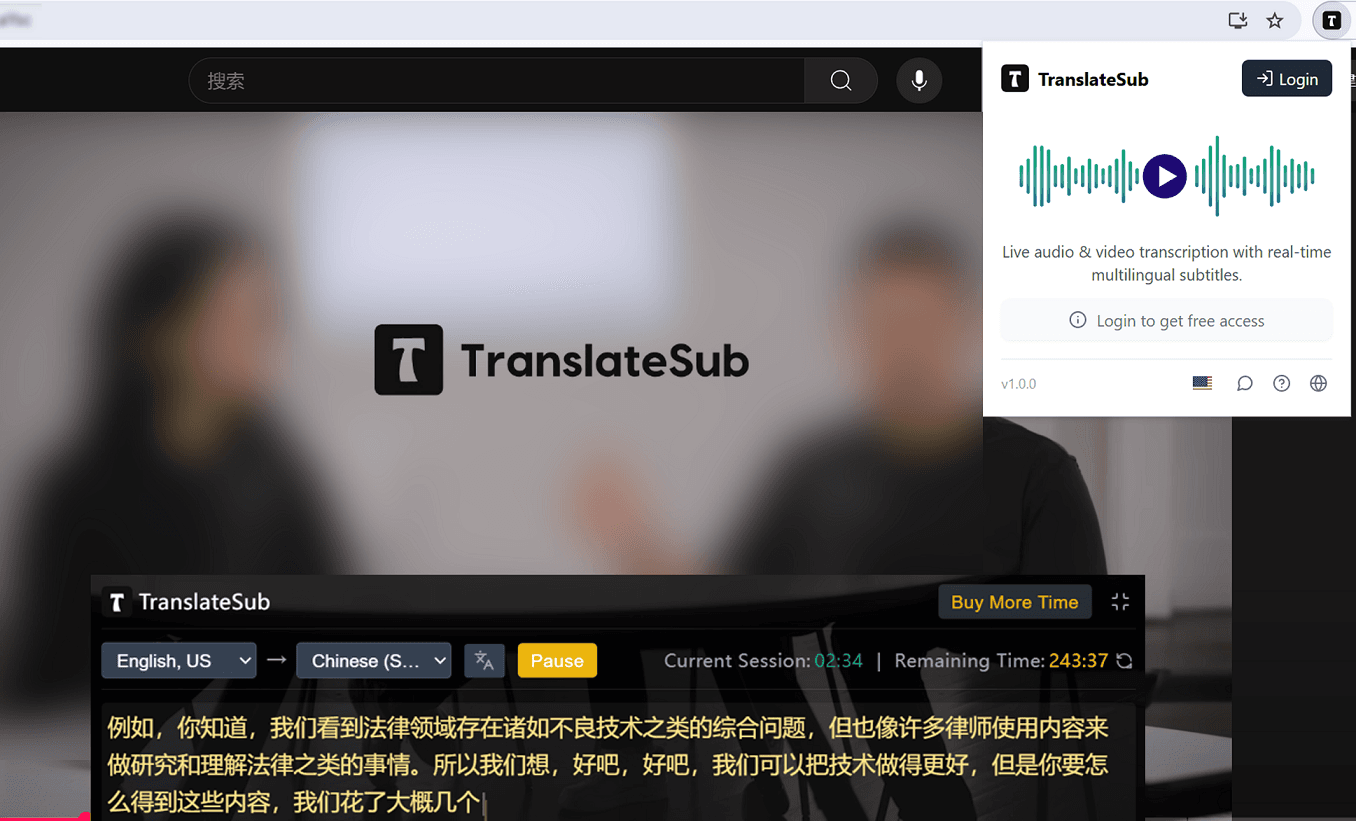
TranslateSub Chrome browser extension brings a more convenient experience:
- Real-time transcription and translation of audio and video content on any web pages
- Support for real-time subtitle generation for live streams
- No need to copy links, operate directly on the browsing page
- Real-time translation in 75+ languages
- Subtitles float display without interfering with the viewing experience
Translation Solutions for Multiple Scenarios
Whoever you are, TranslateSub is here to help
Content Creators
Add multilingual subtitles to your videos, expand global audiences, and increase views and engagement. Automatically generated subtitles save time and improve efficiency.
Language Learners
Watch videos with bilingual subtitles to enhance language comprehension and listening skills. Real-time translation helps you understand content beyond your native language.
Business Users
Add multilingual subtitles to corporate promotional videos, training materials, and meeting records to promote international team collaboration and global customer communication.
Support for 75+ Languages
TranslateSub enables seamless translation of video audio into subtitles in over 75 languages, ensuring global content accessibility and enhancing the impact of your content worldwide.
Frequently Asked Questions
1How to Use TranslateSub for Translating Video Audio into Multilingual Subtitles?
How to Use TranslateSub for Translating Video Audio into Multilingual Subtitles?
To translate video audio into multilingual subtitles using TranslateSub, follow these steps:
Step 1: Upload your video/audio file to TranslateSub. Select your desired language and subtitle format, then click the "Translate" button to generate accurate multilingual subtitles.
Step 2: Monitor the progress and status of your translation tasks by clicking the "TASKS" button at the top right navigation bar as the translation is processed.
Step 3: Once the translation task is complete, click the "Results" button to view, edit, and download your generated subtitles and video files.
Learn more2How Are Translation Fees Calculated?
How Are Translation Fees Calculated?
Translation fees are calculated based on the services used. New users receive free credits for translation services. For comprehensive pricing details on our multilingual subtitle generation, please visit our pricing page. After each task is completed, the billing information will be displayed.
Learn more3Can I Request a Refund?
Can I Request a Refund?
Refunds are available upon request. Please note that fees from third-party payment platforms will be deducted. For more information, refer to our refund policy.
4What is the Typical Completion Time for a Translation Task?
What is the Typical Completion Time for a Translation Task?
The completion time for translation tasks varies depending on file length and server load. Typically, a 5-minute video takes about 2-3 minutes to transcribe and translate into subtitles. You can efficiently track the status of your tasks in your task list.
5How Can I Access the Translation Results?
How Can I Access the Translation Results?
To access translation results, click the "Completed" button once a task is finished. This allows you to view, edit, and download the generated subtitle files for your video audio translation.
6Is Transcription of Video or Audio Available?
Is Transcription of Video or Audio Available?
Yes, transcription is available. Select the source audio language and choose the "Plain Text" format to receive the transcription content in plain text, making it easy to reference.
7What is the Duration for Task Data Storage?
What is the Duration for Task Data Storage?
Task data storage duration varies by user type. Free and pay-as-you-go users have tasks stored for 7 days, while premium users benefit from permanent storage, ensuring easy access to previous video translations.
8Is My Uploaded Video Audio Data Secure?
Is My Uploaded Video Audio Data Secure?
We prioritize the security of your uploaded video audio data. All files are encrypted during transmission and storage to protect your privacy. We adhere to strict data protection policies to ensure confidentiality and security. Users are responsible for the legality of the content they upload.
Ready to get started?
Experience TranslateSub's powerful audio and video transcription and translation capabilities now, overcome language barriers, and connect with global audiences.