Best AI Real-time Translation for Coursera and Udemy: How I Crushed My International Courses
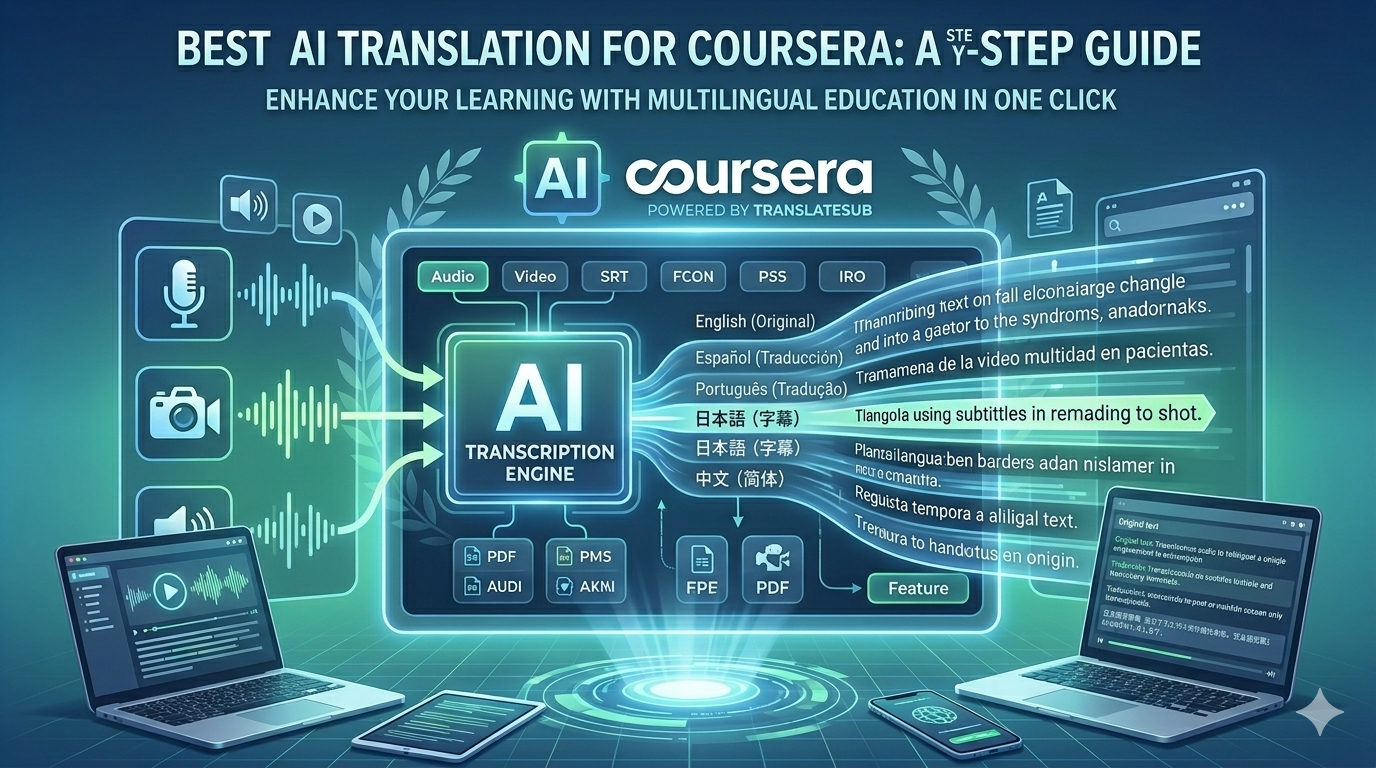
As an international student deep-diving into AI and Machine Learning, my biggest enemy isn't the coursework—it's the lecture speed and the lack of subtitles. Top-tier courses on Coursera and Udemy update so fast they often launch without official captions, forcing me to rely on generic browser translators that constantly "hallucinate" technical terms.
I used to spend twice as long on one video, pausing to look up jargon that tools got wrong—like translating "Python" as a snake or "Backpropagation" as a literary phrase. Tired of being "scammed" by literal, out-of-sync translations, I switched to TranslateSub to regain my study flow and learning efficiency.
1. Stop Letting Generic Translators Mess Up Your Professional Courses
Let’s be honest: for us international students, relying on built-in browser translators during a Coursera or Udemy lecture is a gamble we usually lose. As someone currently deep-diving into AI and Machine Learning, I’ve seen how monthly course updates often launch without any subtitles.
Generic tools just provide literal, "word-for-word" translations that completely miss the professional context. When you’re trying to grasp complex concepts, you don't need "Python" translated as a snake or "Backpropagation" turned into a weird literary phrase. These errors are dangerous—they lead you down the wrong path and force you to spend more time re-interpreting the clunky text than actually learning the material.
Worse, standard translators aren't synchronized in real-time. This lag between the audio and the translated captions kills your study flow and destroys your learning efficiency.
That’s why I switched to TranslateSub Real-time extension. It solves the two biggest headaches for students:
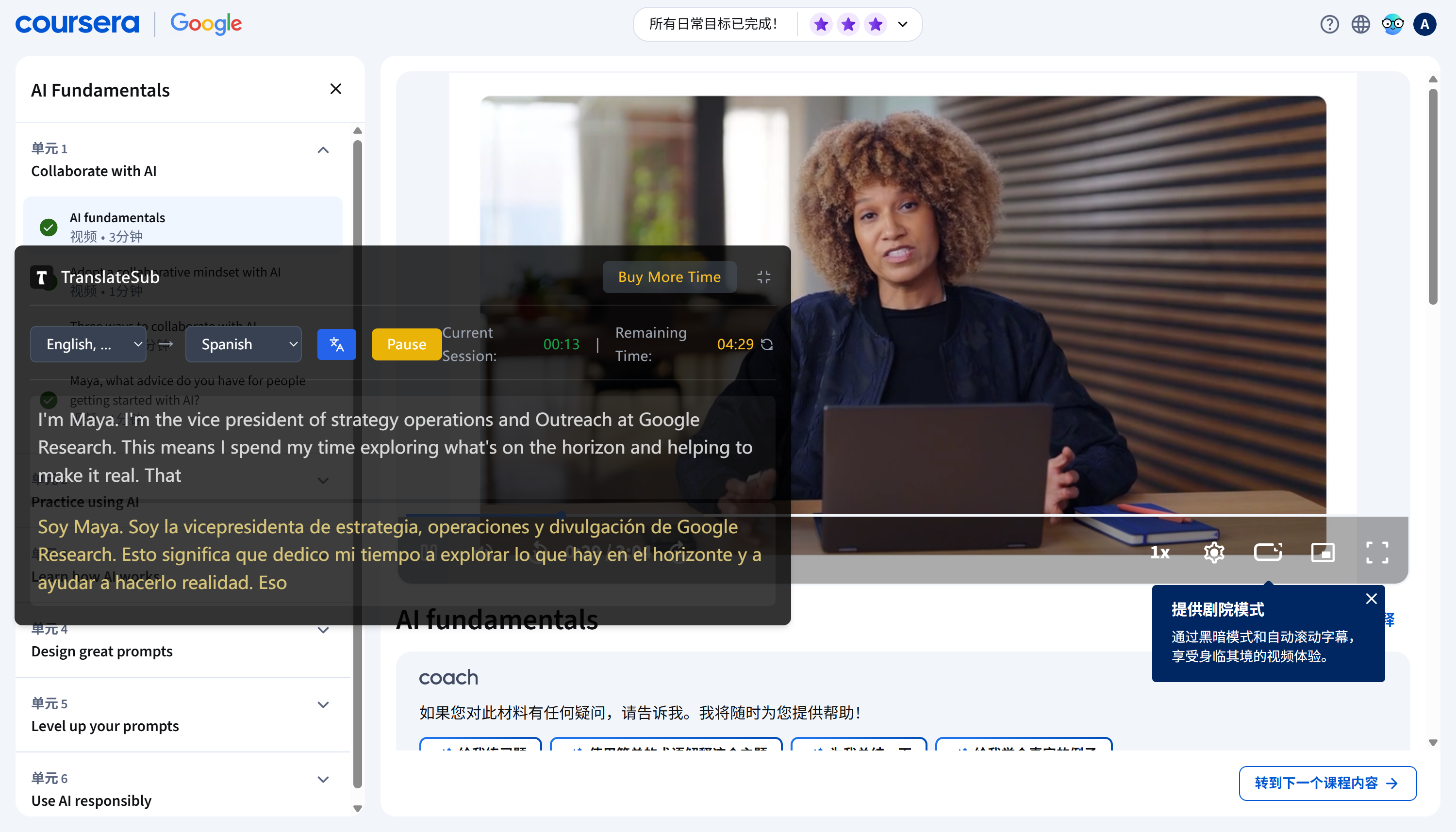
Real-time Synchronization & Simplicity: No complicated apps or heavy software required. Just use it directly in your browser. The subtitles pop up instantly as the professor speaks—no more out-of-sync captions or waiting for the page to refresh.
Professional Accuracy: It goes beyond basic machine translation by using specialized terminology libraries tailored for academic environments. Whether you are in a Finance seminar or an AI deep dive, it recognizes industry-specific jargon instead of just "guessing".
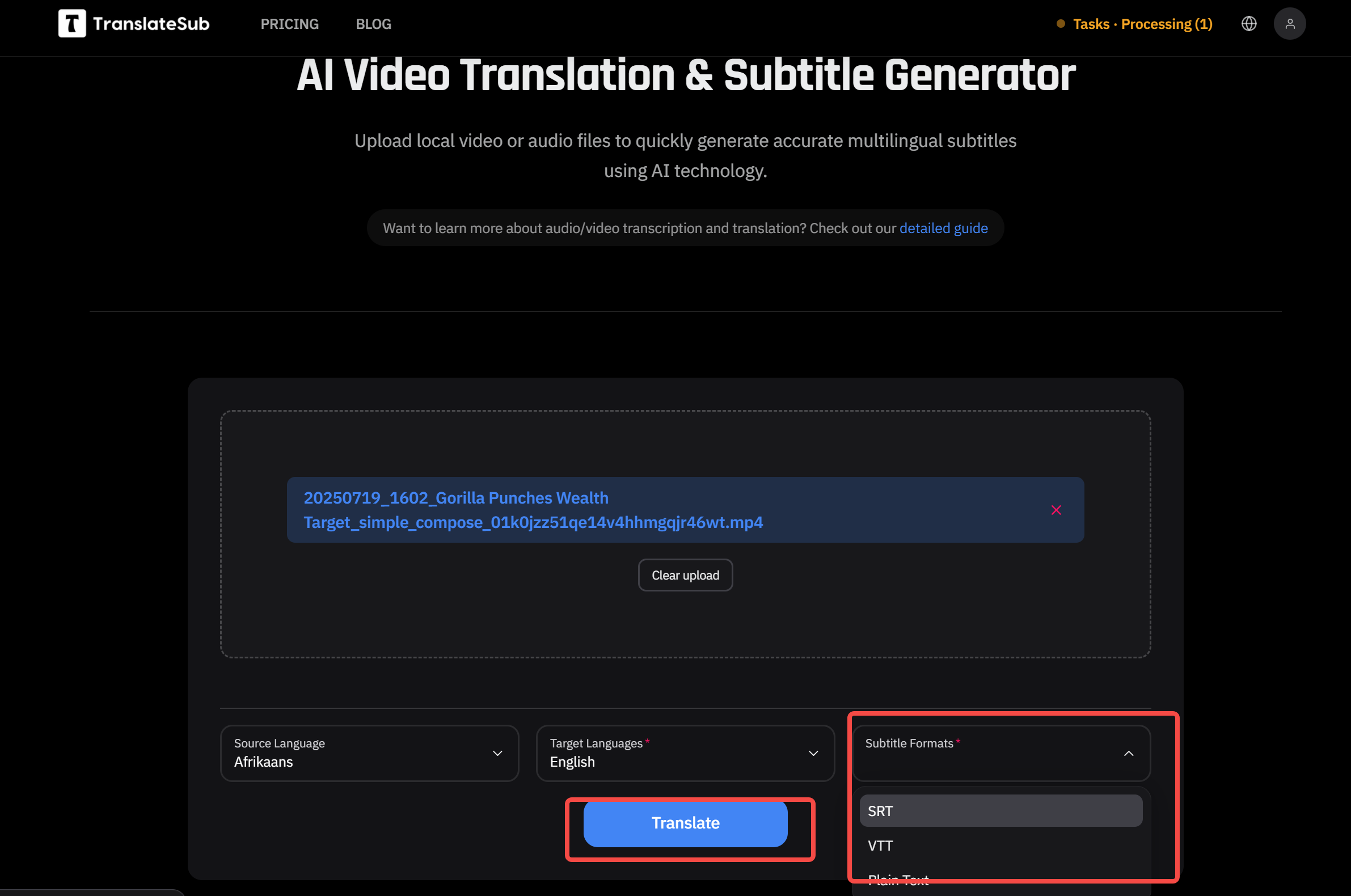
Effortless Video Uploads: If you have recorded lectures or local course videos, you can simply upload them through the web interface to generate accurate, synchronized subtitles in seconds. It keeps the translation accurate so you can stay focused on the knowledge, not the dictionary.
2. Zero-Lag Real-Time Translation: From Live Streams to Local Uploads
As a student, you're likely running VS Code, Notion, and dozens of research tabs while trying to watch a course. You don't need a heavy, complicated app that slows down your system. TranslateSub is designed to live right in your browser, ready to act the moment you click it. It’s built for those who need high-speed learning without the friction.
YouTube Live & Shorts (Zero Latency): One of the biggest challenges for us is following YouTube Live tech launches or Q&A sessions. Generic tools fail here because there are no pre-existing subtitles to grab. TranslateSub uses a real-time observer to "catch" audio and generate accurate bilingual subtitles instantly. Whether the professor is speaking at 1.5x speed or it's a fast-paced live stream, the captions stay perfectly synced with the audio track.
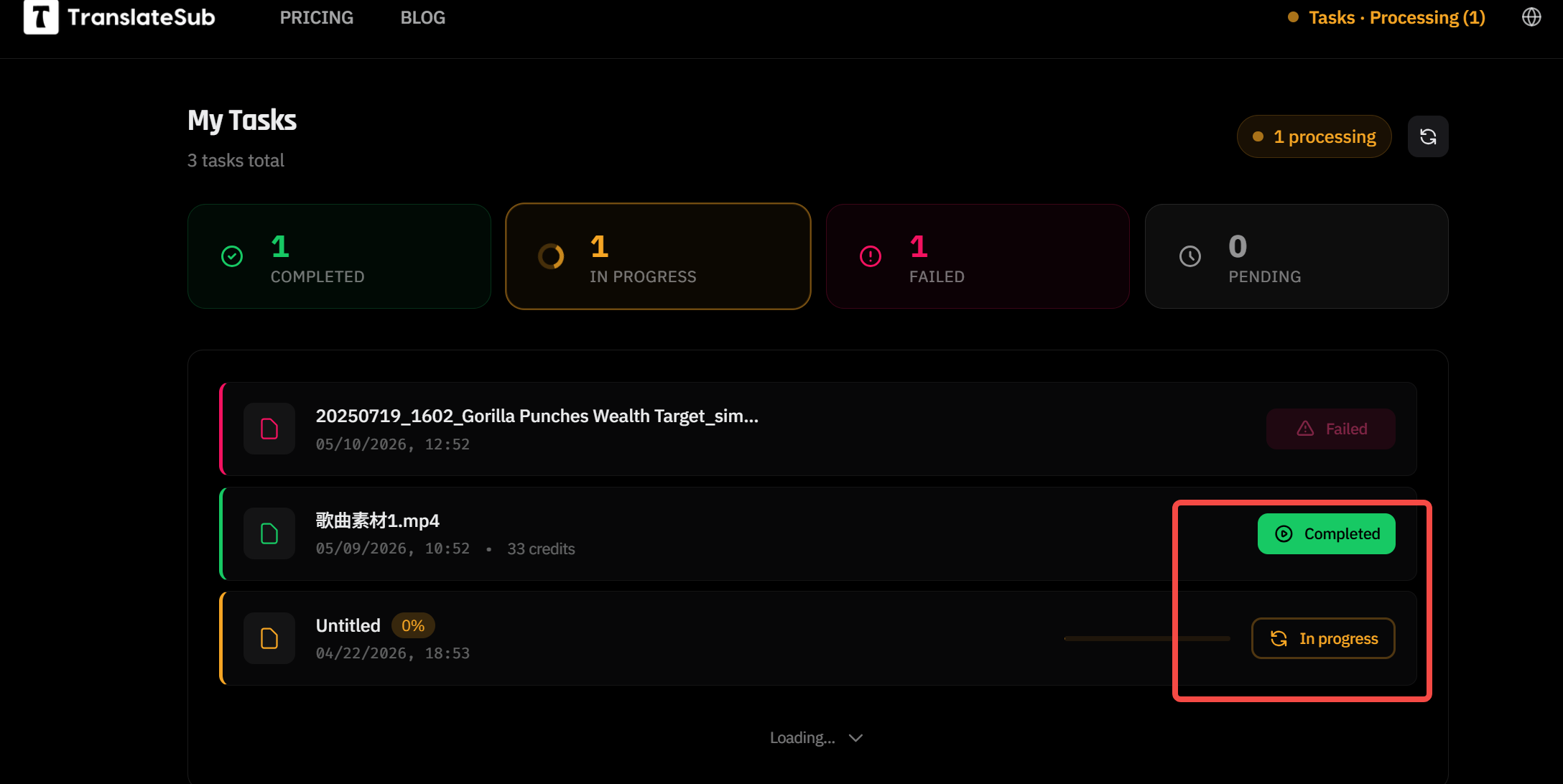
Web Upload for Local Video Processing: Sometimes, our professors share recorded lectures as raw video files without any captions. Instead of struggling through them, you can simply upload these local files directly to the TranslateSub web interface. In seconds, it generates a professional-grade translation file (such as .SRT or .VTT formats). You can then import these files directly into video editors like Premiere or CapCut, making it an essential tool if you're also doing content creation or video editing on the side.
3. Study for Free: The 100-Credit Referral "Hack"
I know we’re all on a budget. If you find yourself running low on translation credits, don't worry—I built in a way to keep it free for students who spread the word.
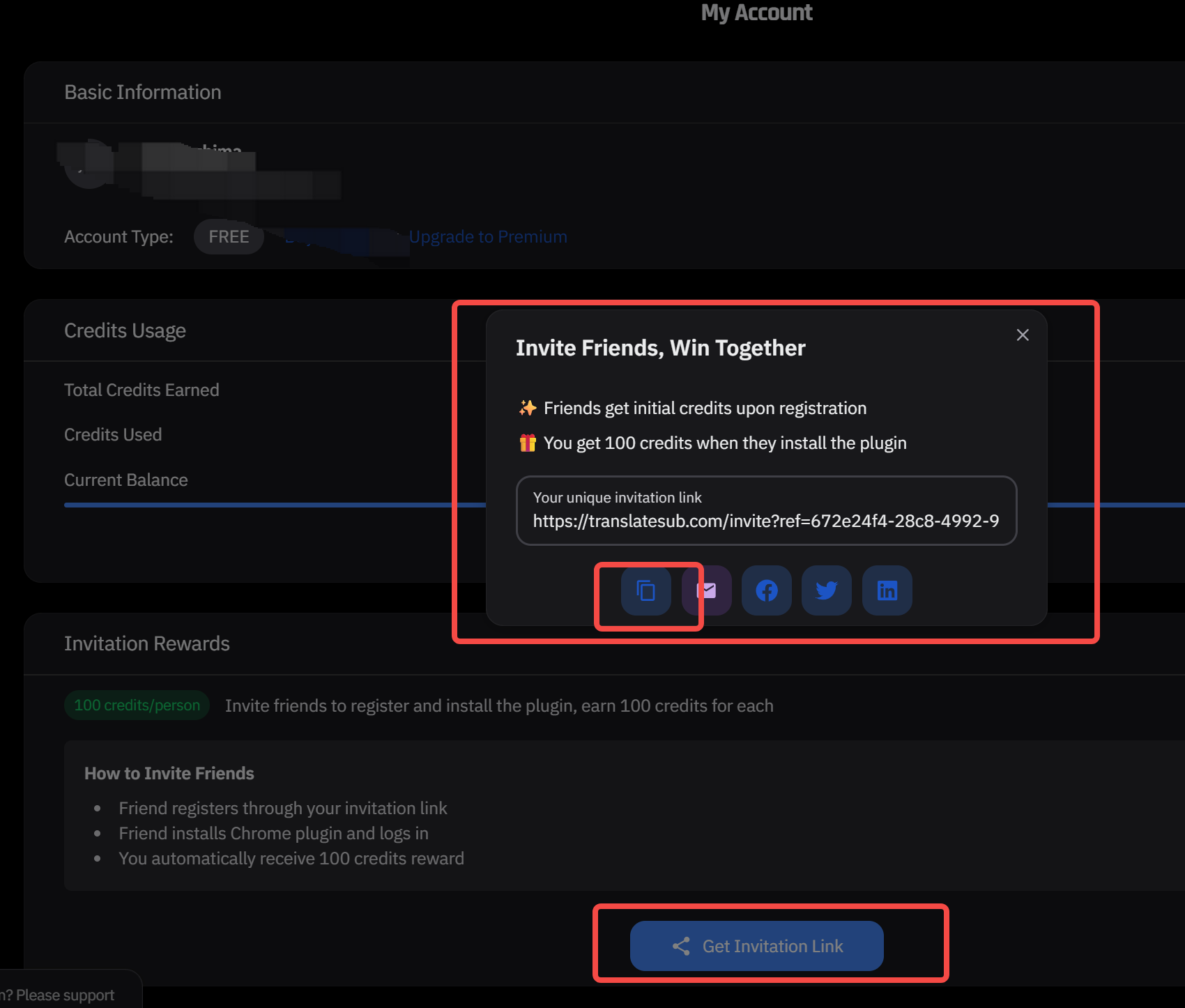
Grab your link: Open the extension and click "Invite Friends".
Share it: Send it to your study group or Discord channel.
Get Paid: Every time a friend signs up through your link, both of you get 100 free credits instantly. It’s the easiest way to keep your advanced "Education Mode" running for the whole semester.
4. My Wishlist for TranslateSub: Mobile Apps & Offline Learning
As an international student, I’m constantly studying on the move—whether I'm on the bus to campus or killing time between lectures. While the extension is already a lifesaver, I’ve reached out to the team with two major suggestions that would make our lives even easier:
iOS & Android Apps: Currently, we’re mostly tied to our laptops. I’ve suggested developing dedicated iOS and Android apps (similar to how Immersive Translate handles mobile browsing). Imagine being able to get the same high-accuracy, real-time AI translation while scrolling through educational TikToks or YouTube Shorts directly on your phone.
One-Click Subtitle Downloads: Sometimes we need to review a lecture offline or import the script into our Notion notes. I’m hoping to see a feature that allows us to save and download the translated SRT or VTT files directly from the player while the real-time translation is running. This would be a game-changer for exam prep and creating bilingual study guides.
FAQ
Q: Does it work on YouTube Live streams?
A: Yes! TranslateSub "listens" to the live audio feed and generates bilingual subtitles in real-time. This makes it the perfect tool for tech launches, financial news, or live coding Q&A sessions where no pre-existing captions are available.
Q: How many languages can I use?
A: We currently support 75+ language pairs. Whether you need to translate English to Mandarin, Spanish to English, or even niche pairs like English to Swahili, we’ve got you covered across global academia.
Q: Is the referral bonus limited?
A: Not at all. As long as you keep inviting new classmates or friends, you will continue to receive those 100-credit boosts for every successful sign-up.
Q: TranslateSub vs. Immersive Translate: Which one is better?
A: It depends on your daily workflow. Immersive Translate is widely considered the standard for text-heavy web reading and PDF translation. However, TranslateSub is built specifically for multimedia and video environments. If you need a more seamless, zero-lag experience for YouTube, TikTok, and live streams without the "bloat," TranslateSub is the faster and more efficient choice for video learners.
Q: What is the best AI tool for real-time video translation in 2026?
A: For students and creators needing AI real-time translation for video content, TranslateSub stands out. Unlike generic tools that struggle with technical jargon or dynamic players, TranslateSub offers specialized academic terminology support and live stream subtitles with near-zero latency. It remains the most versatile and lightweight extension for mastering Coursera, Udemy, and global news in real-time.
Related Posts
The Global Digital Classroom: Scaling Online Learning with AI Subtitle Precision
Top 5 Best Professional AI Real-time Translation Tools & Extensions in 2026 (Full Review)
Effortlessly Add Subtitles to TikTok and Xiaohongshu Videos with TranslateSub
How to Free Download YouTube Video Scripts with Closed Captions in 3 Steps
Step by Step Guide to Generate, Translate, and Edit YouTube Subtitles
Ready to stop fighting with "raw" videos? Install TranslateSub on Chrome Store — Built by a student, for students.